
ProtoArc builds what it calls "a workspace for wellness" — chairs, keyboards, mice, and desk accessories aimed squarely at the places a desk job tends to cause pain: your back, your wrists, your hands, and your neck. Rather than one flagship product, the catalog is really separate fixes for separate discomforts, so the right starting point depends on which one you actually have. Here's a plain breakdown of four of ProtoArc's current products, one per problem.
ProtoArc EC200: for a bad back after hours in the chair
The EC200 is a mesh-back ergonomic office chair built around eight separate adjustment points — lumbar support that moves 2.36" in height and 0.8" in depth, a 3D-adjustable headrest, sliding seat depth, and a breathable mesh back paired with 55D foam cushioning. The point of that much adjustability is fit: a chair that's merely "ergonomic-branded" but doesn't match your specific torso length or desk height won't actually help your back, while dialing in lumbar position and seat depth to your own body is what a chair like this is designed to let you do. If the discomfort you're solving for is your lower back or hips after a full workday seated, this is the piece built for that. Read our full EC200 review →
ProtoArc EK01 Plus: for wrist and hand strain while typing
The EK01 Plus is a split ergonomic keyboard with a curved key layout, a cushioned wrist rest, three backlight brightness levels, and wireless connectivity (Bluetooth plus 2.4G USB) across up to three devices, running on a rechargeable 2000mAh battery rated around 200 days of standby. The split, curved layout is the actual ergonomic mechanism here — it lets your hands and wrists sit at a more natural angle than a single flat rectangular keyboard forces them into, which is specifically aimed at the strain that builds up from long typing sessions rather than from mousing. Expect a short adjustment period (most split-keyboard users report one to two weeks before typing speed catches back up), which is normal for this category, not a sign anything's wrong with the keyboard. Read our full EK01 Plus review →
ProtoArc EM11 NL: for wrist strain while clicking, in a small footprint
The EM11 NL is a compact vertical mouse holding a 58° angle to keep your wrist closer to a neutral handshake position instead of the flat, pronated angle a standard mouse forces. It offers 3-level adjustable DPI (1000/1600/2400), dual Bluetooth 5.0 and 2.4G USB connectivity, a 500mAh rechargeable battery with USB-C charging, and a slim profile ProtoArc specifically sizes for hands under 7.5 inches. Where the EK01 Plus addresses typing strain, this addresses the other half of desk work — clicking and scrolling — and its smaller size makes it the more travel-friendly pick of the three if portability matters as much as ergonomics. Read our full EM11 NL review →
ProtoArc CS100: for neck and shoulder strain from looking down at a laptop
The CS100 is a foldable aluminum laptop stand with 6-level height adjustment spanning roughly 2 to 6.5 inches, a reinforced dual-triangle structure with a spring-assisted alignment system, anti-slip silicone pads, and an open lattice design for airflow. It's rated for up to 22 lbs and fits 10 to 17.3-inch laptops and tablets, folding flat into an included storage pouch. The problem it solves is different from the other three: raising your laptop screen to eye level instead of looking down at it. The trade-off is that raising the laptop also raises its built-in keyboard out of a comfortable typing position, so it's realistically paired with an external keyboard and mouse — the EK01 Plus and EM11 NL both work for that. Read our full CS100 review →
Quick comparison
| Product | Category | Best for |
|---|---|---|
| EC200 | Ergonomic mesh office chair | Back/hip pain from long sitting |
| EK01 Plus | Split ergonomic keyboard | Wrist/hand strain from typing |
| EM11 NL | Compact vertical mouse | Wrist strain from clicking, small hands, travel |
| CS100 | Foldable aluminum laptop stand | Neck/shoulder strain from laptop screen height |
The takeaway
These four products target four different strain points, not four tiers of the same fix — the right starting point is whichever discomfort you actually have (a sore back, sore wrists from typing, sore wrists from mousing, or a stiff neck from looking down), not which piece has the longest spec sheet. If more than one applies, they're designed to work together as a single ergonomic setup rather than compete with each other — a stand paired with an external keyboard and mouse is a common combination.
Featured Picks
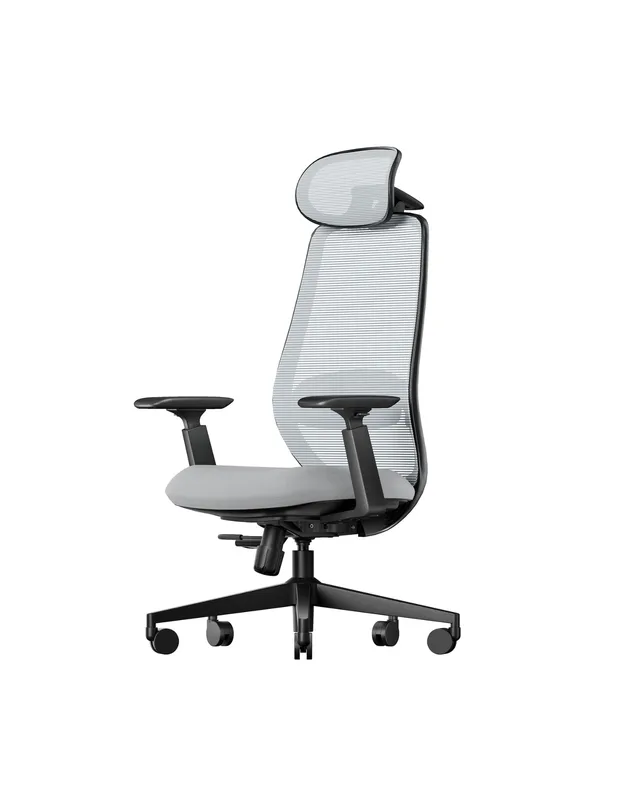
ProtoArc EC200 Chair
Adjustable mesh office chair with 8-point ergonomic fit
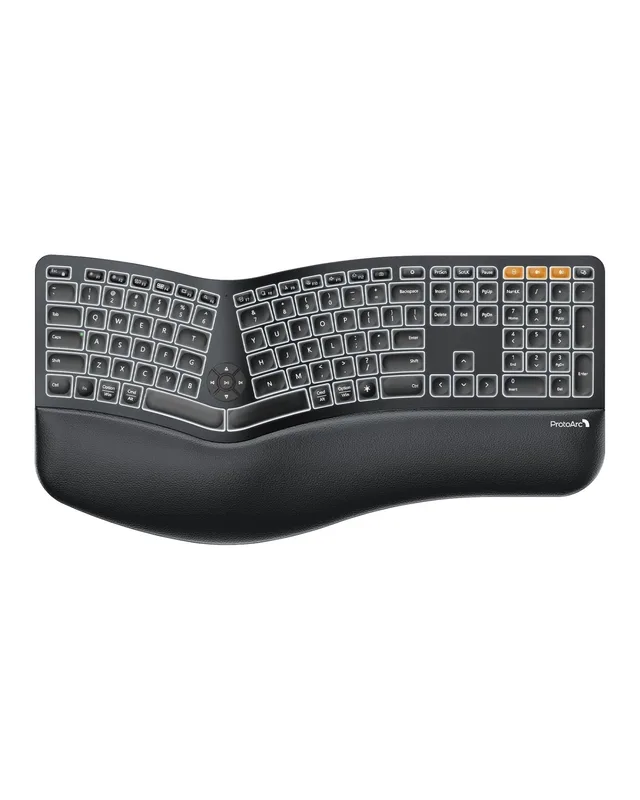
ProtoArc EK01 Plus
Split ergonomic keyboard with backlight and 3-device Bluetooth
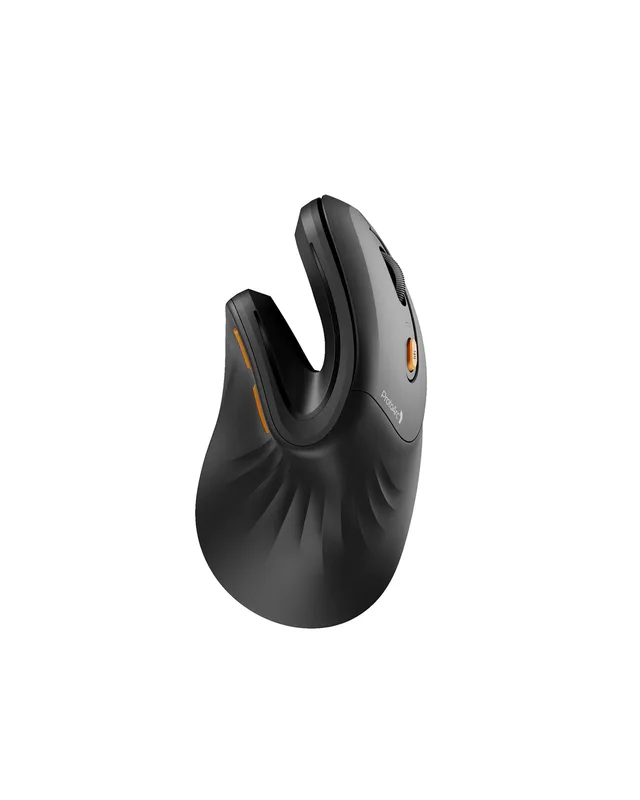
ProtoArc EM11 NL Mouse
Compact vertical mouse for wrist strain and small hands
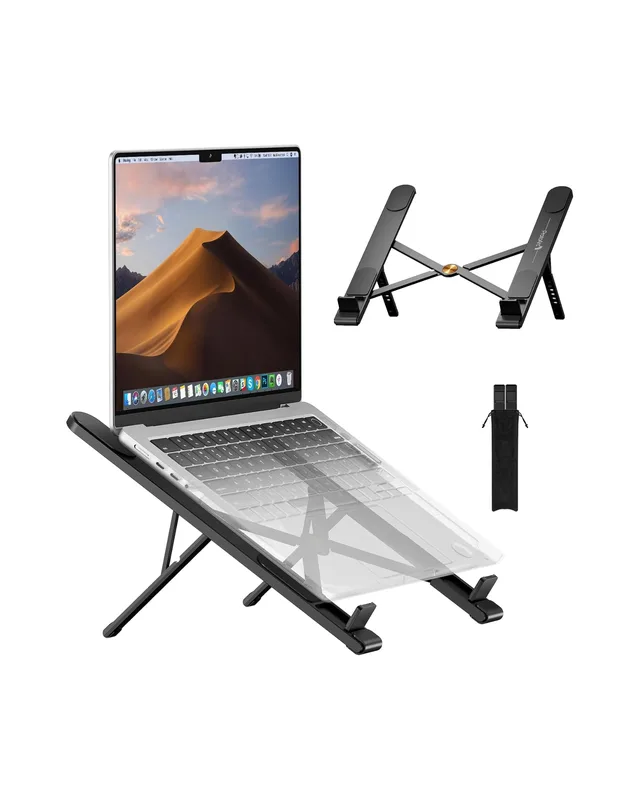
ProtoArc CS100 Laptop Stand
Foldable aluminum laptop stand with 6-level height adjustment