
SwitchBot has quietly become one of the broader smart-home brands on the market — not because it makes one flagship gadget, but because it makes a lot of different ones: a facial-recognition door lock, two different flavors of robot vacuum, curtain automation, and, more recently, an AI-generated art frame. That range is useful if you already know which problem you're solving, and confusing if you're trying to figure out where to start. This is a plain breakdown of what each of SwitchBot's four current headline products is actually for, so you can skip the one that doesn't match your situation.
SwitchBot Lock Ultra: for people who don't want to replace their whole door
The Lock Ultra is SwitchBot's retrofit smart lock — it's built to mount over your existing deadbolt hardware rather than requiring you to swap out the whole lock body or door, which is the main appeal for renters or anyone who doesn't want a full hardware replacement project. What sets this specific model apart from a typical retrofit smart lock is 3D facial recognition as an unlock method, alongside whatever keypad/app/fingerprint options SwitchBot bundles with it — SwitchBot markets it as the first retrofit lock in its category to support that. If your actual goal is "get rid of fumbling for keys at the door" and you don't want to touch your door's existing hardware, this is the product built for exactly that use case; if your door doesn't have a compatible deadbolt shape, a retrofit lock isn't the right category at all, and that's worth checking against SwitchBot's own compatibility list before buying.
SwitchBot S20: a straightforward vacuum-and-mop robot
The S20 is positioned as a fully automated robot vacuum and mop — the category SwitchBot is competing in here is the increasingly crowded "clean floors without touching a mop" space that eufy, Roborock, and others also sell into. The pitch is automation across both vacuuming and mopping in one robot, rather than a vacuum-only unit that leaves mopping as a separate manual chore. If floor upkeep between manual cleanings is your actual complaint, this is the more targeted, single-purpose option of SwitchBot's two floor-cleaning robots.
SwitchBot K20+ Pro: a broader "household robot," not just a vacuum
The K20+ Pro is marketed differently from the S20 — SwitchBot calls it a multi-tasking household robot rather than simply a vacuum, positioning it as covering more ground than floor cleaning alone (SwitchBot's own marketing frames it as a "world's first" in its specific multi-tasking category). If you want one robot that does more than vacuum-and-mop — closer to a general home-monitoring-and-cleaning device than a single-purpose cleaner — this is the model built for that broader brief, generally at a correspondingly higher price than the S20's narrower job.
SwitchBot AI Art Frame: decor, not a cleaning device
The AI Art Frame is the outlier in this lineup — it's not a cleaning or security device at all, it's a wireless E-Ink display frame built around Spectra 6 color technology and AI-generated art, marketed as needing no cables and no setup once it's connected through the SwitchBot app. Where a typical digital photo frame just cycles through images you upload, this one generates new art via AI rather than relying solely on a static personal photo library. It's a decor purchase, not a utility one — worth considering only if "art that changes on its own" is actually the thing you want on a wall, not as a substitute for a real photo frame if displaying your own photos is the point.
Quick comparison
| Product | Category | Best for |
|---|---|---|
| Lock Ultra | Retrofit smart lock | Keyless entry without replacing your door hardware |
| S20 | Robot vacuum & mop | Straightforward automated floor cleaning |
| K20+ Pro | Multi-tasking household robot | One robot covering more than just floors |
| AI Art Frame | E-Ink art display | Rotating AI-generated wall art, not photo display |
Why buy into one ecosystem instead of mixing brands
The practical argument for sticking with one smart-home brand across multiple devices isn't about any single product being unbeatable in its category — it's app consolidation. SwitchBot's devices are designed to sit in one shared app (with an optional hub bridging Bluetooth-only devices to WiFi/cloud control), so a lock, a vacuum, and other SwitchBot gear don't each need a separate manufacturer app on your phone. That convenience is the real reason to buy a second or third SwitchBot device once you already own one, more than any single spec sheet.
The takeaway
These four products solve four different problems, not four versions of the same problem — treat the choice as "which job do I actually need done" rather than "which SwitchBot product is best." A renter who wants keyless entry, a household that wants hands-off floor cleaning, someone who wants one robot doing more than cleaning, and someone who just wants changing wall art are four different shoppers, and SwitchBot happens to have a dedicated answer for each of them.
Featured Picks
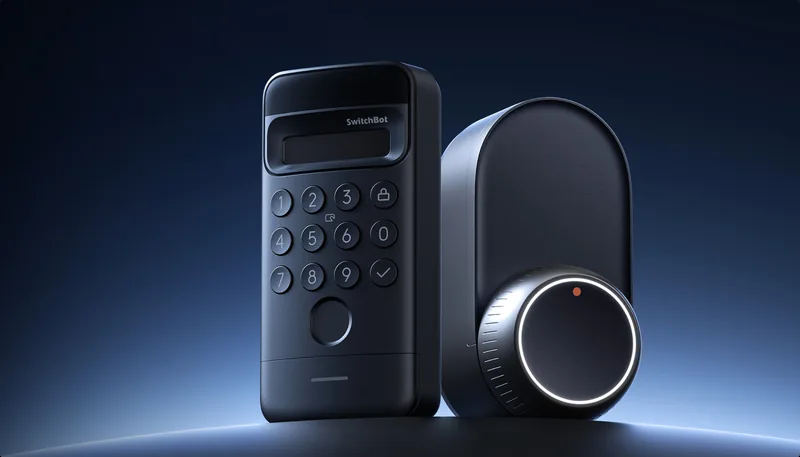
SwitchBot Lock Ultra
Retrofit smart lock with 3D facial recognition
SwitchBot S20
Fully automated robot vacuum & mop
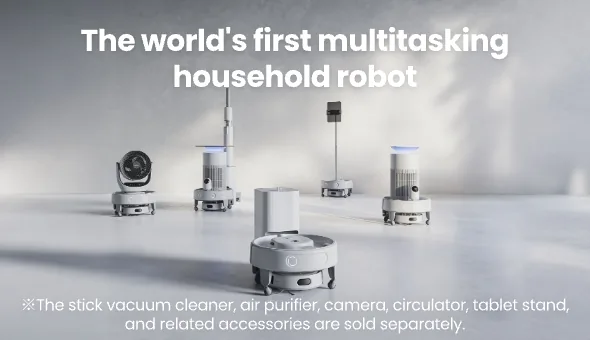
SwitchBot K20+ Pro
Multi-tasking household robot
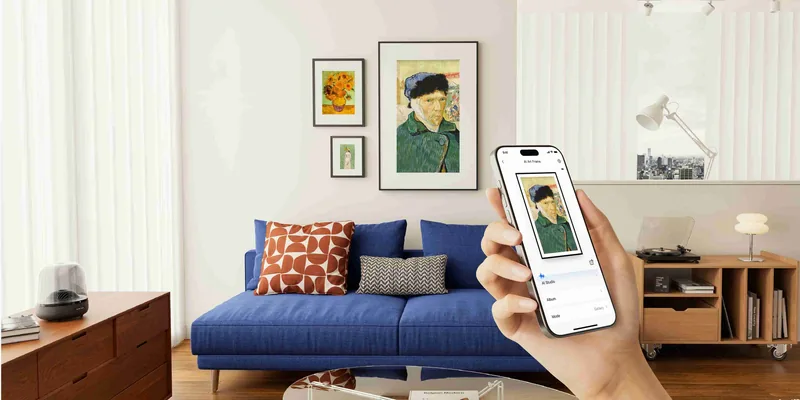
SwitchBot AI Art Frame
Wireless color E-Ink AI art display